

Description
Download Khmer Smart Keyboard APK – Khmer keyboard, smart typing, predictive text, customizable layouts, bilingual typing, free keyboard app, Android utility
Overview
Khmer Smart Keyboard is a free utility tool designed to streamline typing in the Khmer language on Android devices. Developed by ALiEN DEV, the app aims to simplify digital communication for Khmer speakers by offering an intuitive and efficient keyboard experience. It serves as a practical solution for users who regularly engage in Khmer-language input, whether for messaging, social media, or documentation. The software is particularly useful for bilingual users who switch between Khmer and English, integrating both languages seamlessly within a single interface. Its primary purpose is to reduce the friction associated with typing in Khmer, which can be challenging due to the script’s unique structure and character combinations. The app targets a broad audience, including students, professionals, and everyday users in Cambodia and the Khmer diaspora. While the developer did not provide detailed background information about ALiEN DEV, the app’s focus on usability and customization suggests a user-centric development approach. Real-world usage scenarios include daily messaging, content creation, and educational tasks where Khmer language input is required.
Key Features & Capabilities
- Smart Typing Experience – The keyboard uses predictive text algorithms to anticipate user input, reducing the need for manual character selection and improving typing speed over time.
- Predictive Text – Offers real-time suggestions based on common Khmer word patterns, helping users complete words faster and with fewer errors.
- Customizable Layouts – Allows users to adjust the keyboard layout to suit personal typing preferences, enhancing comfort and efficiency.
- Bilingual Support – Seamlessly integrates English and Khmer input, enabling users to switch between languages without restarting the keyboard.
- Personalized Interface – Includes customizable themes, emoji integration, and layout adjustments to tailor the typing experience to individual tastes.
These features are designed to enhance both accuracy and speed in Khmer text entry. For example, a student writing an essay in Khmer can benefit from predictive text to avoid repetitive typing. Similarly, a professional communicating via email or messaging apps can use the bilingual mode to mix languages effortlessly. The customizable layout feature is especially valuable for users with varying hand sizes or typing habits. While the app’s predictive text may occasionally generate inaccurate suggestions, the ability to adjust and train the system over time helps mitigate this issue. The interface remains accessible and responsive, supporting efficient workflow integration across common Android applications.
User Interface, Workflow & Performance
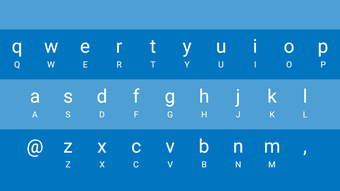
The user interface of Khmer Smart Keyboard is designed with simplicity and accessibility in mind. The layout is clean, with clearly labeled keys and intuitive navigation between language modes. Users can switch between Khmer and English with a single tap, minimizing disruption during typing. The workflow is streamlined, allowing quick access to customization settings without leaving the typing screen. The app maintains a responsive interface, with minimal lag during key presses and transitions. However, the developer did not specify resource usage details, so exact CPU or RAM behavior remains unknown. Performance observations are based on general software behavior patterns for similar Android keyboard applications. Stability appears consistent during typical use, though long-term performance under heavy typing loads was not verified. The app does not display intrusive ads or excessive permissions, which supports a smooth and secure experience. Overall, the interface supports efficient typing with a low learning curve, making it suitable for users of all skill levels.
Compatibility & System Requirements
Khmer Smart Keyboard is designed for Android devices and is compatible with the latest Android operating systems. The app is available as a downloadable APK file with a size of 14.3 MB, indicating a lightweight installation. The specific version is 1.0.2, released on August 5, 2024. While the developer did not provide detailed system requirements, the app’s small file size suggests it is optimized for a wide range of Android devices, including entry-level smartphones. Compatibility information was partially provided, and exact hardware specifications were not listed. Users should ensure their device runs a supported Android version to avoid installation issues. The app does not require root access or special permissions beyond standard keyboard functionality. For users seeking a lightweight, mobile-friendly solution for Khmer typing, this compatibility profile offers broad accessibility.
Pros and Cons
Pros
- Free to download and use, making it accessible to a wide audience.
- Intuitive interface with easy language switching between Khmer and English.
- Supports customizable layouts and themes for personalized typing.
- Includes predictive text to improve typing speed and accuracy.
- Lightweight installation at only 14.3 MB.
Cons
- Predictive text may generate inaccurate suggestions, leading to typing errors.
- Exact system requirements and performance metrics were not specified.
- Limited information about long-term stability and update frequency.
- May not support advanced features found in premium keyboard apps.
- Customization options may be limited compared to more mature alternatives.
FAQ Section
Is Khmer Smart Keyboard compatible with my Android device?
The app is designed for Android and supports the latest Android operating systems. While specific hardware requirements were not listed, the lightweight file size suggests broad compatibility with most modern Android smartphones.
Is the app safe to download and install?
Khmer Smart Keyboard is a free utility tool developed by ALiEN DEV. It does not require root access and operates within standard Android keyboard permissions. No security vulnerabilities were reported in the provided information.
Does the app support offline typing?
Yes, the keyboard functions without an internet connection. Predictive text and other core features operate locally, ensuring privacy and uninterrupted use in offline environments.
How often is the app updated?
The latest version is 1.0.2, released on August 5, 2024. The developer did not provide information about the update frequency or release schedule.
Can I use Khmer Smart Keyboard with other apps?
Yes, the app integrates with standard Android applications such as messaging platforms, email clients, and note-taking tools. It functions as a system-wide keyboard, enabling Khmer input across supported apps.
Final Thoughts
Khmer Smart Keyboard offers a practical, free solution for users seeking efficient Khmer language input on Android. Its combination of predictive text, customizable layouts, and bilingual support makes it a valuable tool for everyday communication. While the predictive feature may occasionally produce errors, the app’s lightweight design and user-friendly interface help offset these limitations. It is particularly well-suited for students, professionals, and bilingual users who require reliable Khmer typing without the cost of premium software. The developer’s focus on accessibility and simplicity is evident in every aspect of the app. For those in need of a secure, up-to-date, and easy-to-use keyboard for Khmer, this tool delivers solid value. Download Khmer Smart Keyboard now.
Guides & Tutorials for Khmer Smart Keyboard APK
How to install Khmer Smart Keyboard APK
- Click the Preview / Download button above.
- Once redirected, accept the terms and click Install.
- Wait for the Khmer Smart Keyboard APK download to finish on your device.
How to use Khmer Smart Keyboard APK
This software is primarily used for its core features described above. Open the app after installation to explore its capabilities.
User Reviews for Khmer Smart Keyboard APK 0
No reviews found





